Products
Three things you keep after the project.
A family that lives in your library, a tool on your Revit ribbon, a process that runs without anyone re-typing it. Each is shown below as it actually shipped, the work, not a picture of it.
01, Revit families
Families that behave in a live model
Revit family creationTwo curtain-wall units from one job share a frame; only the infill changes. You get the family and proof it behaves: flexed, scheduled and loaded into a live model first.
- Transparent glazing panelDouble-glazed vision unit
- Opaque 3D pyramid panelFaceted spandrel, same frame
One curtain-wall system, two panel types. The frame, the brackets and the anchor detail are identical between them, what changes is the infill and the head condition, because the two sit in different parts of the elevation and answer to different requirements.
That is the case for building families rather than downloading them: the shared half is shared by construction, not by coincidence, so a change to the frame is one change and not two.
- Scope
- Two unitized panel types
- Shared
- Frame, brackets, anchor detail
- Differs
- Infill and head condition
Drawn from the delivered families themselves, the outlines above are the real geometry, reduced to boundary and crease edges. Nothing here is a stand-in.
02, Digital tools
A button on your ribbon that takes the tedious part
Revit plugin developmentTwo tools, recorded running inside Revit. Each was built around one office's own steps, which is why it's a button and not a ten-page procedure nobody opens.
Builds the Revit model from a coordinated CAD plan set
Instead of a team tracing linework by hand, the tool reads the plan set and creates native Revit elements from it, walls placed on their real wall types, floors, levels, and openings, so the model starts from the drawing rather than from someone's interpretation of it.
- Input
- Coordinated CAD plan set
- Output
- Native Revit elements
- Runs in
- Revit
Recordings are silent and play without sound.
Rebuilds an ETABS structural model as native Revit framing
The model is built live in Revit's isometric 3D view while the tool reports its own progress: elements processed, beams, columns and braces created, non-master members, and, the line that matters most, what was not created. Anything that didn't convert is visible on screen instead of silently missing.
- Input
- ETABS Excel export
- Output
- Revit structural framing
- Reports
- Per-element counts, including failures
Recordings are silent and play without sound.
03, Automation
One screen the whole office works from
Office automationOne system for two offices in two languages: requests, documents and project status on one screen, not five. You get it running, with its process written down.

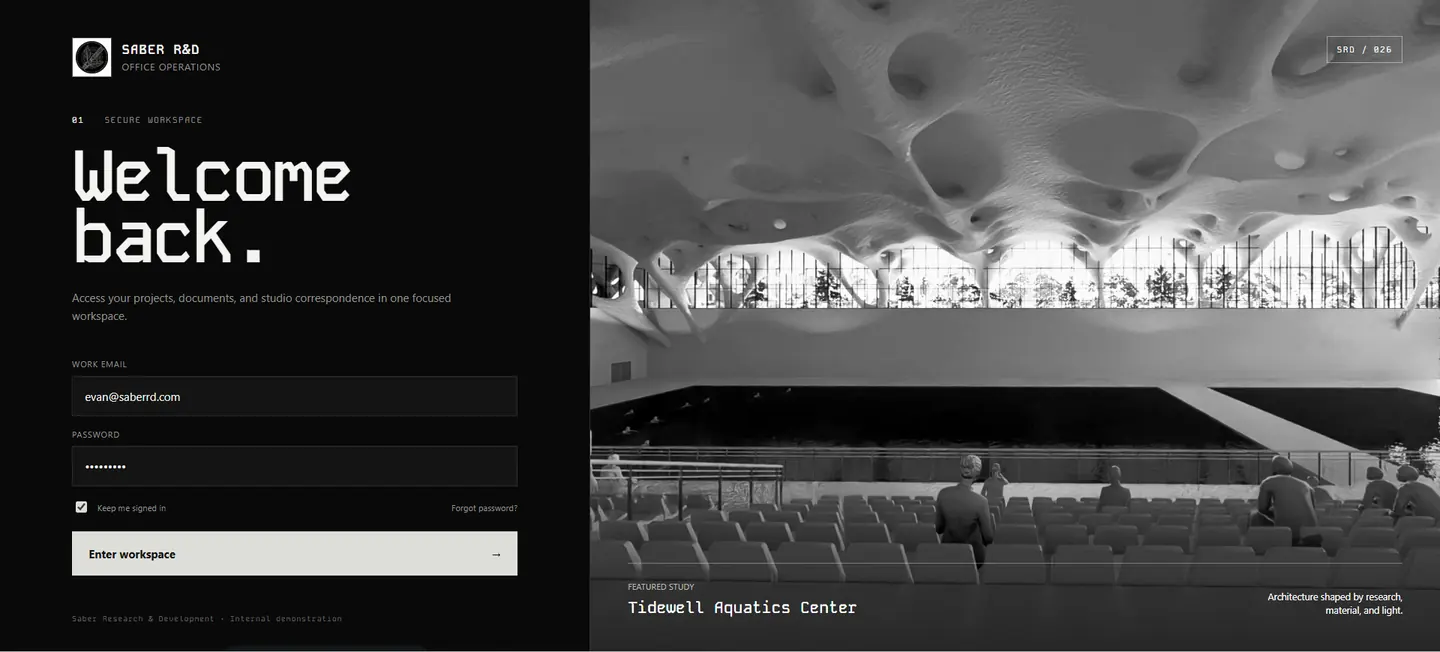
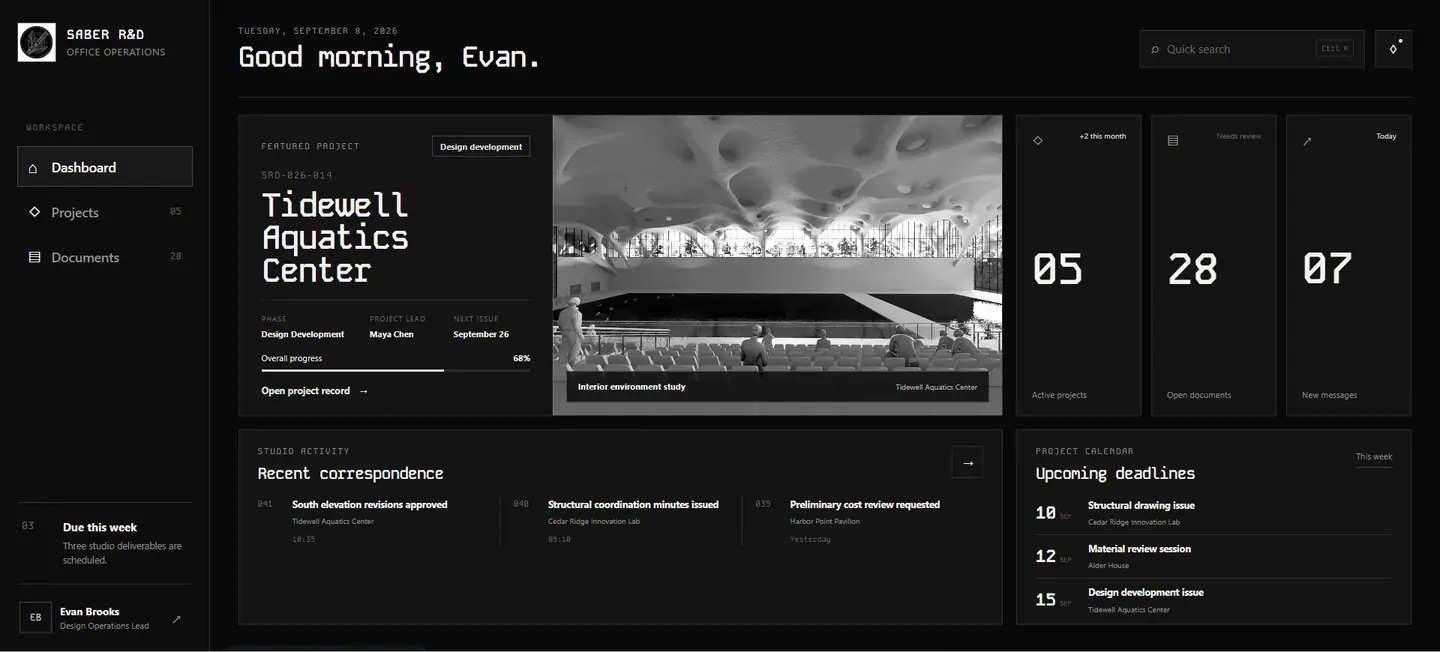
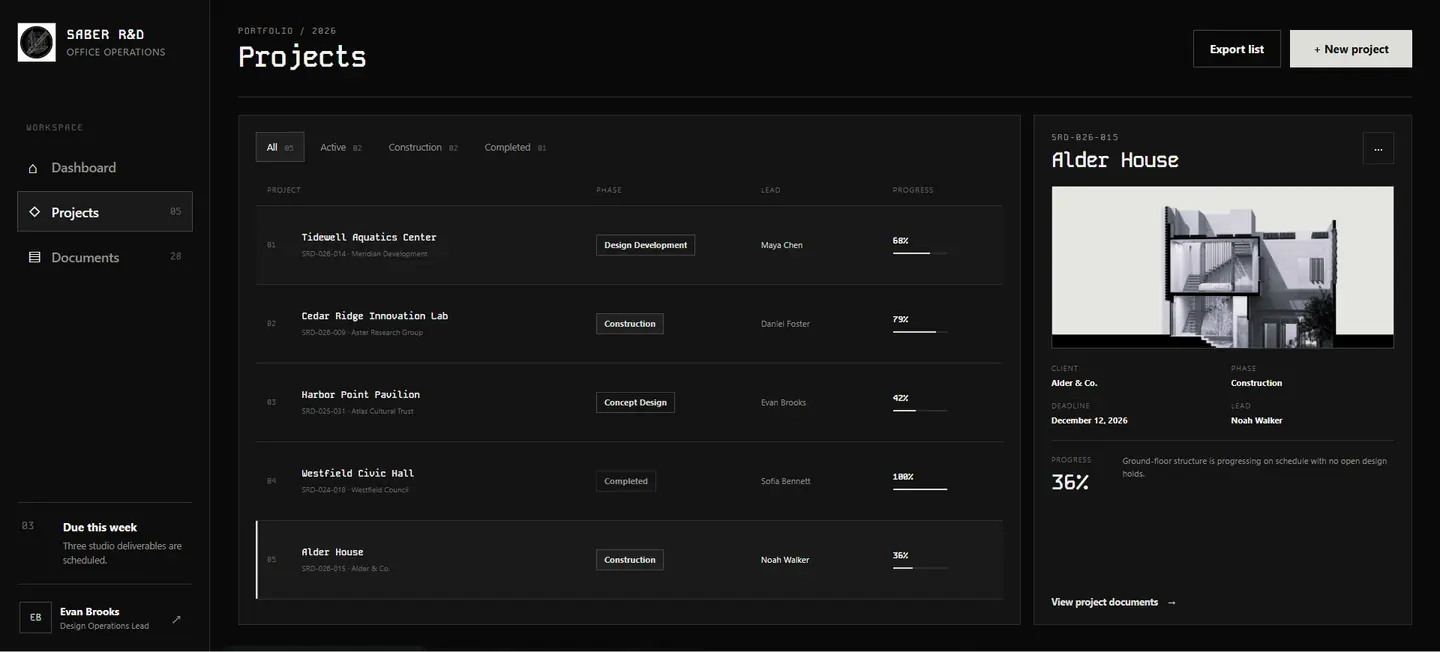
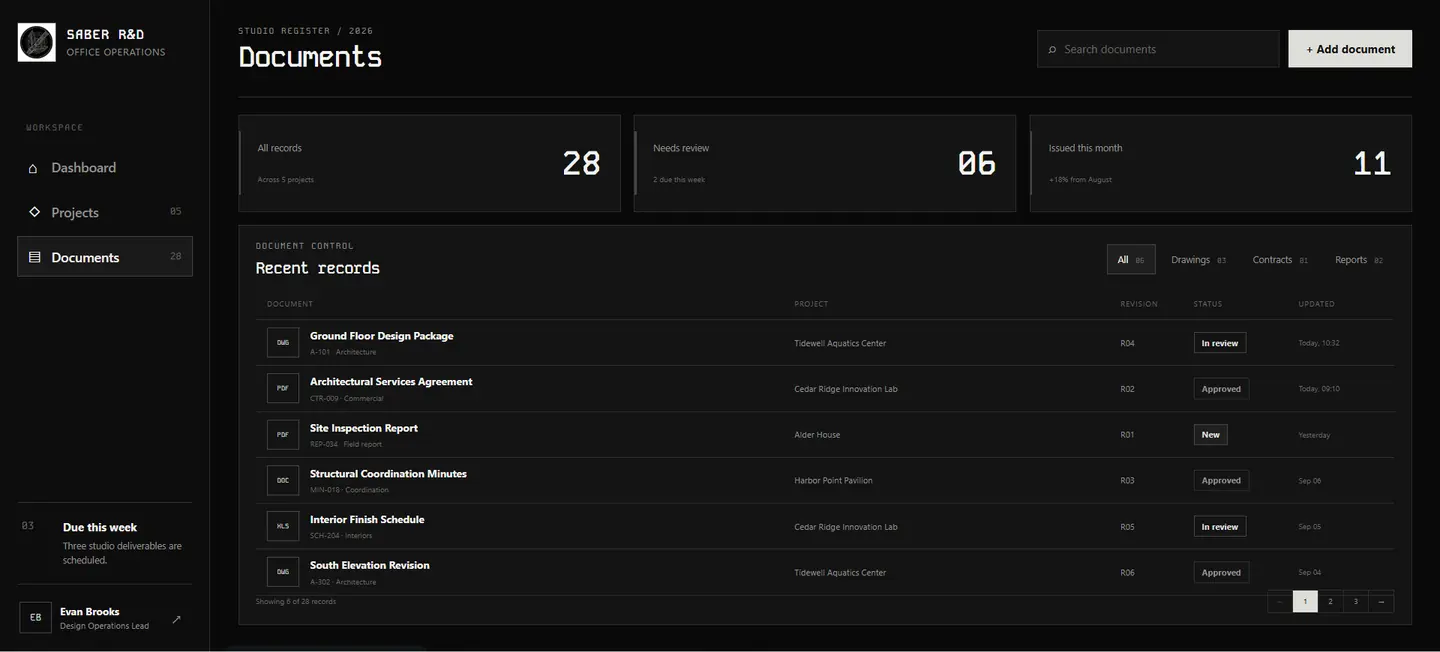
Entry to the studio workspace
1 / 4The same idea, an English office
The same four screens for an English-speaking studio, on a dark theme. The structure carries across; the content does not, each office has its own phases, states and naming.
That is the case against a dashboard off a shelf. Columns can be renamed; the order the work moves in cannot.
- Language
- English · left-to-right
- Screens
- Four
- Runs in
- Browser
Demonstration data. No real project, document or person appears on these screens.
04, Start
Tell us the process you'd change first
Bring the workflow, not the spec. If a tool is the wrong answer, we'd rather tell you that in the first conversation than at the end of a build.
We are not a fit if you want an off-the-shelf template or a generic plugin installed without a process review.