Skip to content
ARTINEXT

Service · Office automation · Working remotely

Office automation, from contract to delivery.

Automation, software and data integration, and operational dashboards for AEC companies and technical offices. This isn't software design, it's your own chain of work, the one that repeats every week and depends each time on one person.

01, Why automate, and where to start

Three signs your process needs automation

Not every process is worth automating, and some are fine exactly as they run today. These three say which one is a candidate, and which needs reviewing first, automating second.

A hand-off that is really a re-typing

One system's output is the next system's input, and between them sits a person entering the whole thing again by hand. The result is one number that exists in three files in three versions, and nobody can say which is right.

A process carried by experience, not by documentation

Everyone knows how the work moves; nowhere is it written down. Until it is, it can't be improved and then automated, and you can't show where the delay is coming from, so the first conversation is about the process, not the software.

Daily reports, already-expired data

Finding out where the work stands means a person opening four files and explaining the current state. By the time that report is ready the state has changed; the decision gets made against data whose expiry date has passed.

02, Built work

One structure, two offices.

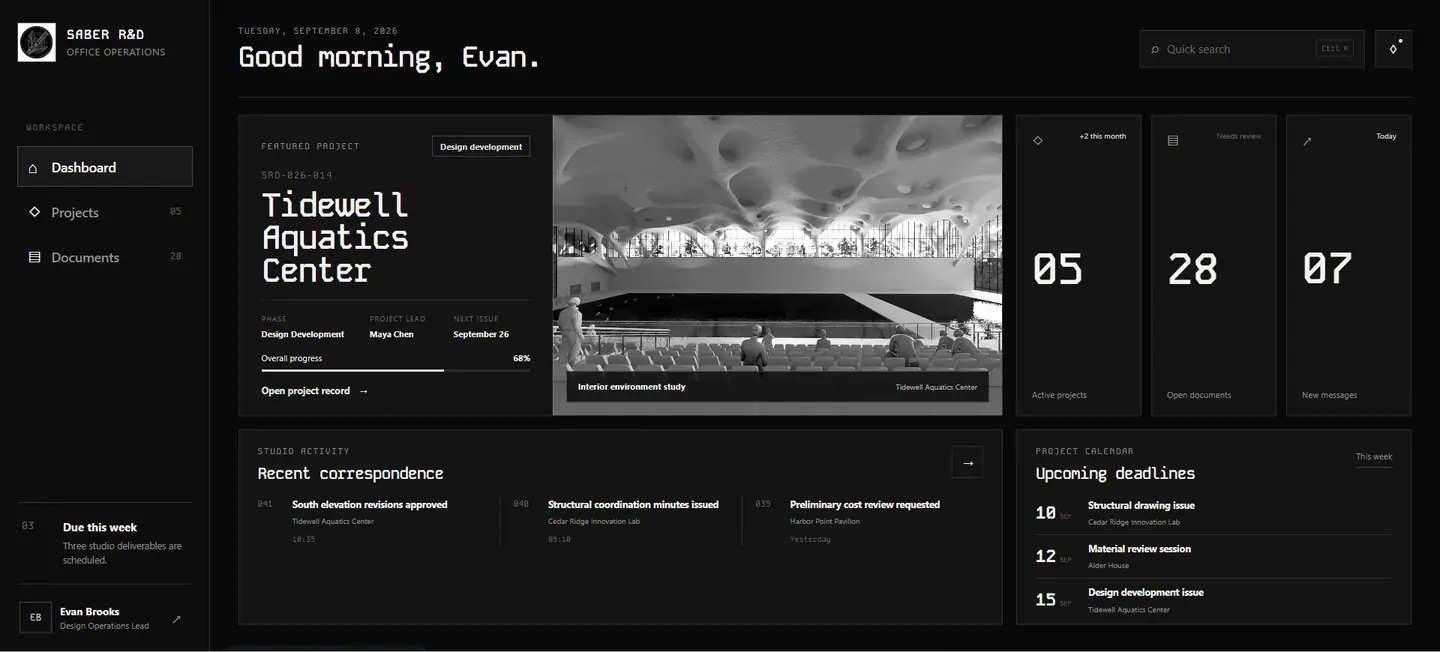
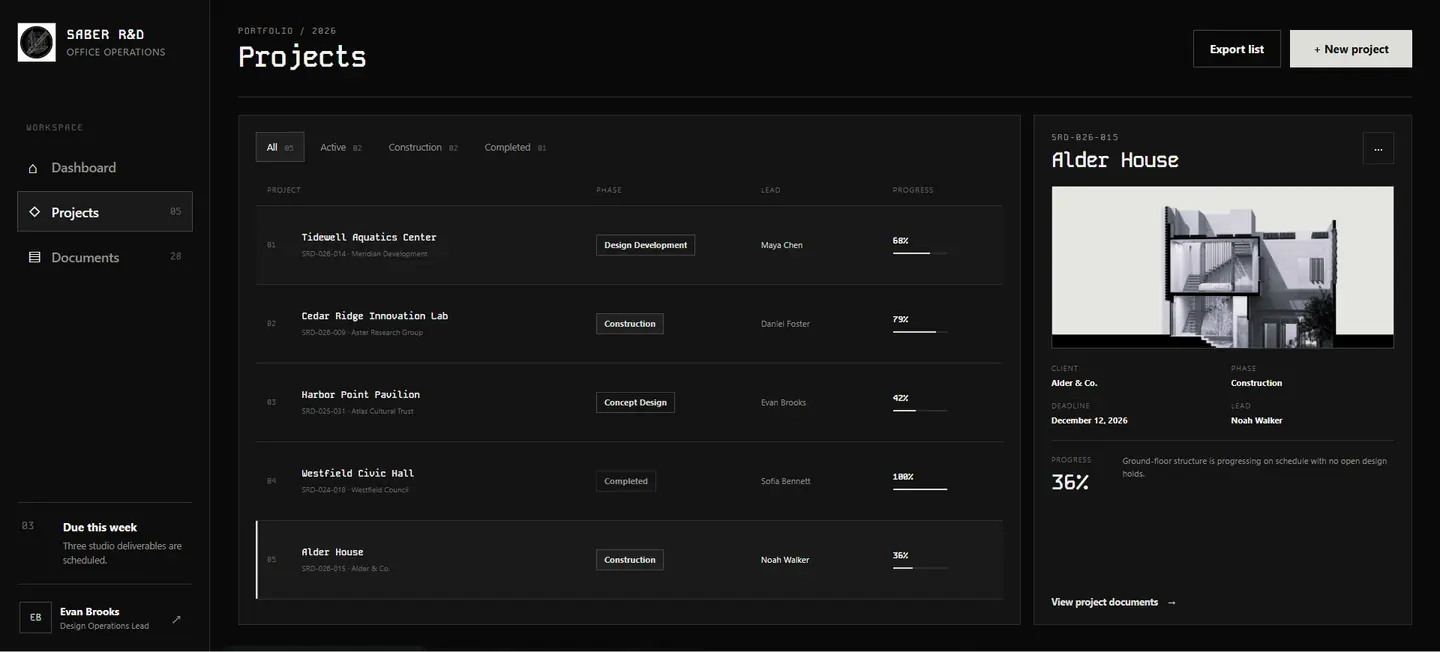
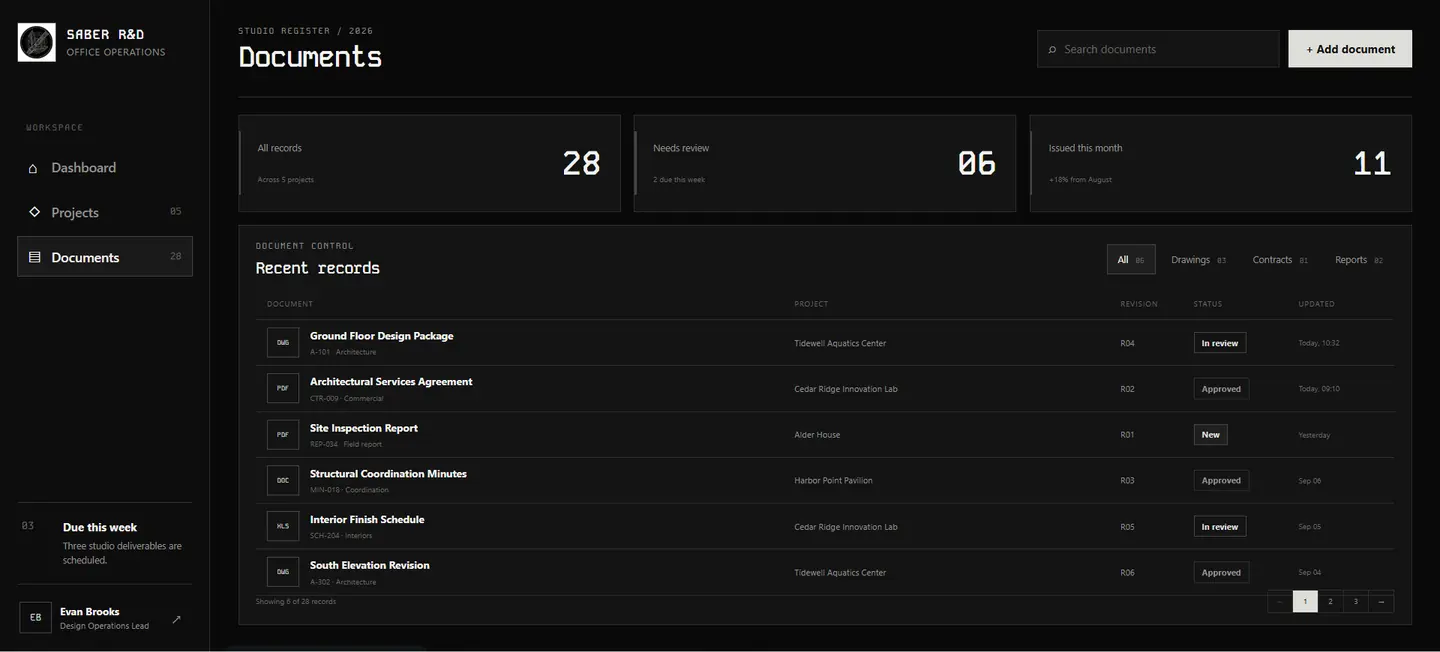
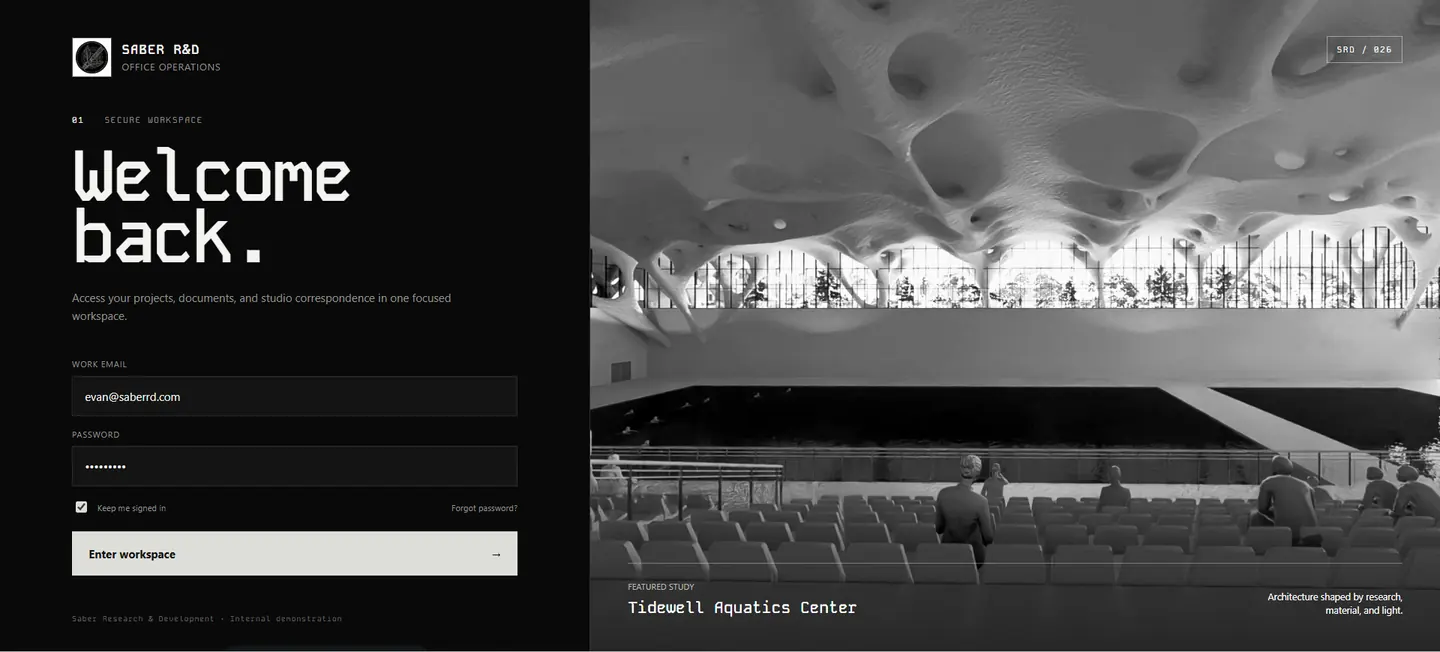
Project status, documents and correspondence on one page, instead of four files and somebody assembling them. Two builds, each in its own language, open either one from here.

SABER R&DSign in
SABER R&D sign-in screen with the workspace form on a dark ground and a featured project study alongsideSABER R&D dashboard showing a featured project card, active project and open document counters, recent correspondence and a project calendarSABER R&D project list with phase, lead and progress per project, and a detail panel for the selected oneSABER R&D document register listing records with project, revision, status and last updated date

Entry to the studio workspace

1 / 4

The same idea, an English office

The same four screens for an English-speaking studio, on a dark theme. The structure carries across; the content does not, each office has its own phases, states and naming.

That is the case against a dashboard off a shelf. Columns can be renamed; the order the work moves in cannot.

Language
English · left-to-right
Screens
Four
Runs in
Browser

Demonstration data. No real project, document or person appears on these screens.

03, What moves the number

The process sets the size of the job, not the button count

No price list, because two automations that look identical from the outside can differ by a factor of ten underneath. Four things decide it, and you can assess all four before speaking to anyone.

How much of the process is documented

A procedure that exists as a document already has its specification. A procedure that lives in three people's heads has to be written down and agreed first, and that extraction is itself part of the work.

Whether the systems have an API

A system with a documented API is understood in an afternoon of reading. One that exports a file can be worked with. One that has only a screen, and a vendor who doesn't answer, carries a layer of human complexity on top of the technical one.

How many people steer the process

A tool for one person can be simple and uncomplicated. A flow that passes through three has to survive their disagreements about who owns which step, disagreements that existed before the automation and will outlive it.

What happens off stage

Something that runs in front of a person can fail without causing trouble. Something that runs off stage at 2am has to know it failed, say so to someone, and leave the data in a state that can be resumed, or repaired.

No estimate is given before the first two stages. A number produced before the problem is stated in full is a guess wearing a currency symbol.

04, Process

Discover, define, build, evolve

Four stages. The first two are where most of the risk gets removed.

Discover

We watch the real workflow, not the documented one. What's actually done by hand, by whom, and how often it goes wrong.

Define

The problem gets stated in full, with a success measure that can be tested, before any tool is proposed.

Build

Built against your standards and your users. Every added layer of complexity has to earn its place.

Evolve

Systems are built to change shape as your work grows, so the tool doesn't become the next thing to work around.

05, Questions

Before you write to us

Does any of this require Revit?

No. This service is about the work between your software, whatever that software is, a spreadsheet, an ERP export, a shared drive, a form somebody fills in. Neither dashboard above runs inside an engineering application; both open in a browser. Revit-side automation is its own subject, covered in the Dynamo piece.

Do we have to replace the software we already use?

Usually not, and we'd argue against it. Replacing a working system is the most expensive way to fix a hand-off. The cheaper answer is almost always to make what you have exchange the record properly, and that recommendation stands even when a rebuild would be the bigger project for us.

What happens when the process changes next year?

It will, so the parts that change are separated from the parts that don't. The rules that move, a threshold, an approver, a naming pattern, live somewhere a person can edit without opening code. Anything hard-coded that should have been a setting is a maintenance bill you pay later. Writing the process down before automating it is covered in where automation should start.

Where does it run, and who can see the data?

Wherever the data is allowed to be. That's decided in the first stage, not assumed, some offices can only run on their own machines, some already have a server, some have a client contract that settles it for them. The answer changes the build, so it's asked early rather than discovered late.

Who owns what gets built?

You do. It's your process encoded, it shouldn't live somewhere you can't reach it. Source and build instructions are handed over.

Do you work with teams outside Iran?

Yes. The studio is based in Iran and works remotely; that's how most projects run regardless of where the team sits.

06, Start

Tell us the step that runs on someone remembering

Bring the process, not a platform you've been quoted for. If the honest answer is that the process needs writing down before anything is built, we'd rather say that first.

We are not a fit if you want a platform installed without any process review, or an automation of a procedure nobody is willing to write down.