Contents
- The short answer
- What a plugin company actually is
- Consulting or development
- Company, freelancer or in-house
- Your workflow, not just the API
- The technical depth to check
- An honest portfolio
- Scoping before code
- How the work should run
- Code ownership and maintenance
- The next Revit release
- Support after delivery
- Questions to ask first
- Comparing two quotes
- Red flags
- Conclusion
- FAQ
Choosing a Revit plugin development company comes down to a few things that never show up at first glance: whether the team understands your workflow or only the API, who owns the finished code, what happens when Revit ships its next version, and what support looks like after delivery. A polished portfolio answers none of those.
This is a different decision from buying an add-in off the Autodesk marketplace. There, the only question is whether the tool works. Here you are choosing a working relationship, because custom code needs someone who remembers why each decision was made, every time Revit changes underneath it.

What a Revit plugin development company actually is
A Revit plugin development company is a team that writes C# against the Revit API and ships tools that run inside Revit itself: a ribbon button, a dialog, a check that runs when the file is saved. That is different from general BIM consulting, and different from someone who once built a plugin for their own office.
Some companies write code and nothing else. Others take on the workflow review, the interface, testing on your files and the years of updates that follow. Neither is wrong. Knowing which one you are talking to before work starts matters more than anything else on this page.
Revit consulting or Revit development: which do you need?
A Revit consulting company and a Revit plugin development company often share a name and not much else. Consulting sets the rules: templates, standards, family libraries, how models are shared and checked. Development turns rules that already exist into tools that apply them.
The order matters. A plugin built on a standard that is still being argued about encodes one side of the argument. If your office is still deciding how it wants to work, start with consulting and build the tool once the rule is written down. If the rule is settled and people are applying it by hand, development is the right call.
Some teams do both, which is useful when the standard and the tool are designed together. Ask which of the two a company actually spends its time on.
Company, freelancer or in-house developer
There are three ways to get a custom Revit tool built, and the code quality can be identical across all three. What differs is what happens in the second year:
- An in-house developer knows your standards better than anyone outside can. It works when there is a steady stream of tools to build. With one tool a year, the role tends to drift into general IT.
- A freelancer can write excellent code quickly. The risk is continuity: when their next contract starts, your update for the new Revit release waits.
- A development company costs more per hour than a freelancer and less than a full-time hire for occasional work. What you are paying for is that someone is still answering after the person who wrote the code has moved on.
If you already have a developer in the office, the useful question is not whether to outsource but which parts: the workflow review, the build and testing, or the yearly updates.
Do they understand your workflow, or only the API?
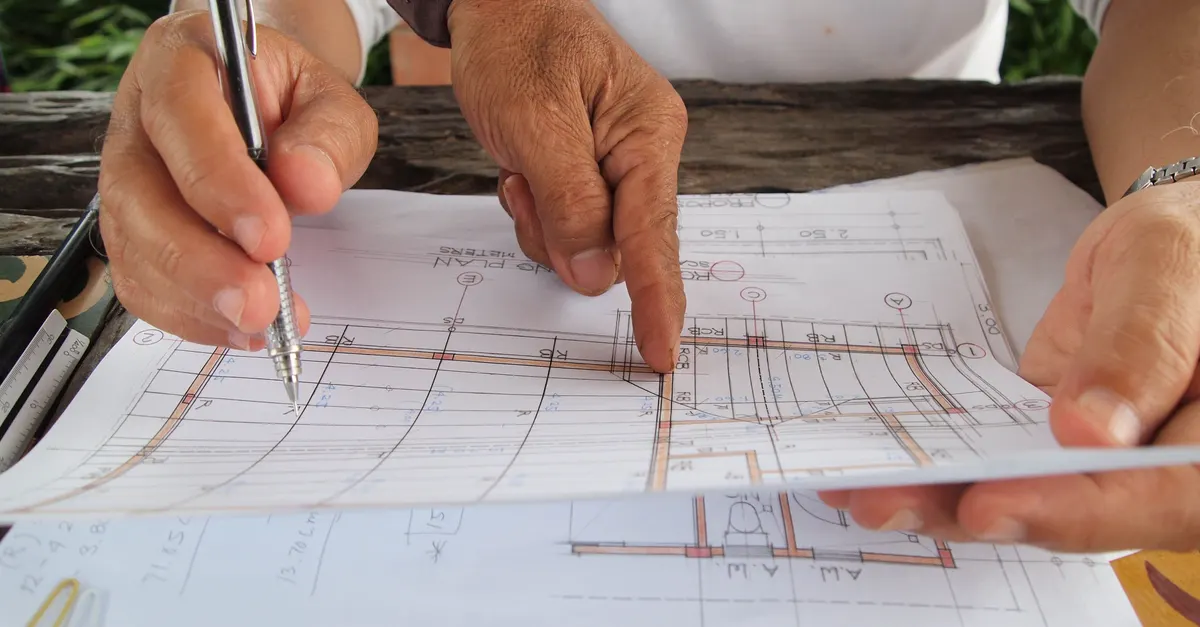
Fluency in the Revit API is necessary and not sufficient. A team that has never sat next to an architecture or engineering office tends to make the right technical decision in the wrong place: code that is correct, and a tool that does not fit how the project is actually run.
The best test is not asking whether they "understand AEC." Walk them through one of your real processes and listen to what they ask. Questions about the odd edges, the exceptions nobody documented, tell you more than any list of technologies.
The technical depth worth checking
You do not need to read C# to check this. You need them to explain, in plain terms, how they would handle your case. A good answer covers these:
- The Revit API in C#/.NET, including transactions, filtering elements at the scale of a real model, and builds for more than one Revit version.
- When Dynamo is enough. A team that only ever proposes compiled add-ins, even for a one-off task a graph would handle, is selling what it knows.
- Integrations with the systems your data actually lives in: Excel, ETABS, a document register, Autodesk Construction Cloud.
- Testing on real models, not a clean sample file, against cases agreed before the build starts.
- Error reporting. Ask what the tool does when an input is wrong. The answer should be a report, not a crash and not silence.
Our own Revit plugin development page shows two converters doing exactly this: building the model and reporting, element by element, what did not convert.
What an honest portfolio actually shows

A useful portfolio shows more than interface screenshots. It shows what problem the tool solved and what happened to it after delivery. Is it still in use? Has it been updated for newer Revit versions? A tool built two years ago and untouched since usually means the relationship ended there, not that the tool never needed a change.
Asking for one real, checkable example is never an unreasonable request. A company that hesitates either has little real work behind it or clients who have not agreed to be shown. Both are worth asking about directly.
How they scope the work before writing code
Everyone wants to go straight to building. Nobody enjoys the first days spent asking questions. But those unglamorous hours are exactly where a reliable tool separates from a fragile one, and none of it shows in a demo.
A company that quotes a price and a timeline on the first call has skipped the details that set the real cost later. A serious scoping session covers exact inputs and outputs, real project files, and a list of exception cases. What drives that number is covered in how much Revit plugin development costs.
How the work should run once it starts
Once the scope is agreed, the build should be visible. Short milestones, each ending with the tool running on one of your files, catch a misunderstanding in the first week instead of at handover.
Changes will come. The useful habit is writing each one down with what it does to the schedule, so the end of the project is not a negotiation about what was said on a call three weeks earlier.
Distance matters less than people expect when the milestones are concrete. We work remotely from Iran, so this is how our own projects are set up: every milestone ends with a file the client can open and check.
Who owns the code, and who maintains it
Unlike an add-in bought on the Autodesk marketplace, custom source code usually belongs to the client unless the contract says otherwise. That needs to be in writing before work starts, not discovered when you try to move to another developer.
Maintenance is a separate question. Some companies hand over the code and the relationship ends; others build long-term maintenance into the contract. Either can work, as long as it is clear which one you signed. Without a maintenance path, the tool works until the first Revit release that changes the API.
What happens when Revit ships its next version

Autodesk ships a new Revit every year, and the API changes between some of them. Revit 2025 moved to .NET 8, and add-ins built for earlier versions had to be recompiled before they would load. The risk is permanent. It is not something only weak vendors run into.
The right question is not whether this risk exists. It is how cost and turnaround are decided when it arrives. Autodesk's own Certified Apps Program, which currently covers Inventor and Vault rather than Revit, asks certified apps to support the latest release and the one before it. That is a fair bar to ask of any Revit vendor too.
Support after delivery, not just before the invoice
Before the contract, every company is responsive. The difference shows when a bug appears three weeks after delivery. Response time, a documented way to report the bug, and whether the cost of a fix is agreed in advance or negotiated each time all matter here.
The best check is asking a past client about one real bug, not about support in general. An answer with a date, a turnaround and an outcome is worth more than "their support is great."
Ask, too, what support covers. Fixing a bug in the delivered tool is one thing. Changing the tool because your own standard changed is new work, and a good contract says which is which.
Questions to ask before you sign
Seven questions cover most of this page, and a good company answers them without hedging:
- Which part of our workflow would you look at first, and why?
- Can we see one tool you built that is still in use, and speak to someone who uses it?
- Which Revit versions will the tool support, and who updates it next year?
- Who owns the source code, and what exactly is handed over?
- How is the tool tested, and on whose files?
- What does the tool do when an input is wrong?
- How is a bug reported after delivery, and how is a fix priced?
How to compare two quotes
Two quotes for the same tool rarely describe the same tool. Before comparing totals, line them up on scope:
- Put the step lists side by side. A cheaper quote often covers fewer steps, or leaves out the exception cases.
- Check the version line. One quote may only cover the Revit version you run today.
- Look for testing and handover. Testing on your files, the source code and the build instructions are sometimes priced separately, and sometimes missing altogether.
- Compare the support terms, including how a fix after delivery is priced.
Once the scopes match, whatever difference in price remains is a real difference in approach, and worth asking about.
Red flags worth walking away from

One of the founder's debugging exams at school came down to a single spelling mistake: the only deduction from 23.5 out of 24, in a class where the highest score was 18. Not a logic error. Not a misunderstood algorithm. A typo. The problem that does the damage is almost never the complicated part. It is the small detail nobody took seriously.
Choosing a company works the same way. A dazzling portfolio or a polished pitch hides the real risk. The signs worth taking seriously are smaller: hesitation about sharing a real example, reluctance to talk about code ownership, a price before any scoping, and a vague answer when you ask what happens after a Revit update.
If an add-in already on the Autodesk marketplace solves your problem today, do not commission custom development, from us or anyone else. Buying an existing tool is cheaper and faster. Custom work earns its cost when nothing on the market fits your workflow.
Conclusion
Choosing a Revit plugin development company is not about the prettiest portfolio or the lowest price. It is a handful of plain, checkable questions: do they understand your workflow, who owns the code, what happens after the next Revit release, and what support looks like after delivery. A vague answer to any of them tells you as much as a clear one.
FAQ
What does a Revit plugin development company do?
It builds custom tools that run inside Revit, usually in C# against the Revit API, around a workflow specific to your office. The better ones also review the workflow first, test on your real files, and keep the tool working across Revit releases.
What's the difference between a company and a freelancer?
The code can be just as good. The difference is continuity: when a freelancer's next contract starts, updates and fixes for your tool wait. A company is set up so someone is still answering after the original developer has moved on.
Should we hire an in-house developer instead?
If there is a steady stream of tools to build, often yes. For one or two tools a year, a full-time role tends to drift into general IT, and an outside team with a complete code handover is the better fit.
Who usually owns the code for a custom Revit plugin?
Usually the client, unless the contract says otherwise. Put it in writing before work starts, along with exactly what is handed over: the source code, the build instructions and the installer.
What happens if a plugin breaks after a Revit update?
It is a permanent risk, not an exception; Revit 2025's move to .NET 8 stopped older add-ins loading until they were recompiled. Agree in advance how a fix is priced and how quickly it is turned around.
How do we check a company's support before signing?
Ask a past client about one real bug: when it was reported, how long the fix took and what it cost. A specific answer is far more reliable than a general description of good support.
Can a remote team build our Revit plugin?
Yes, if the milestones are concrete. Short stages that each end with the tool running on one of your files matter more than being in the same city.
When should we not commission custom development at all?
When an add-in already on the Autodesk marketplace solves the same problem. Custom development earns its cost only when nothing on the market fits your workflow.