Contents
Revit library optimization means fixing the specific families and settings behind slow syncs, broken schedules and oversized files, not shrinking the library as a whole. A small library can fail constantly while a large one runs clean for years. What breaks it is never the total count. It is one detail buried in a handful of families: a nested import, an orphaned parameter, a naming pattern nobody agreed on. Fix those, and file size largely takes care of itself.
One of the founder's debugging exams at school came down to a single spelling mistake, the only deduction from 23.5 out of 24 in a class where the highest score was 18. Revit libraries fail the same way. The biggest risk is rarely the biggest file. It is the smallest thing nobody checked.
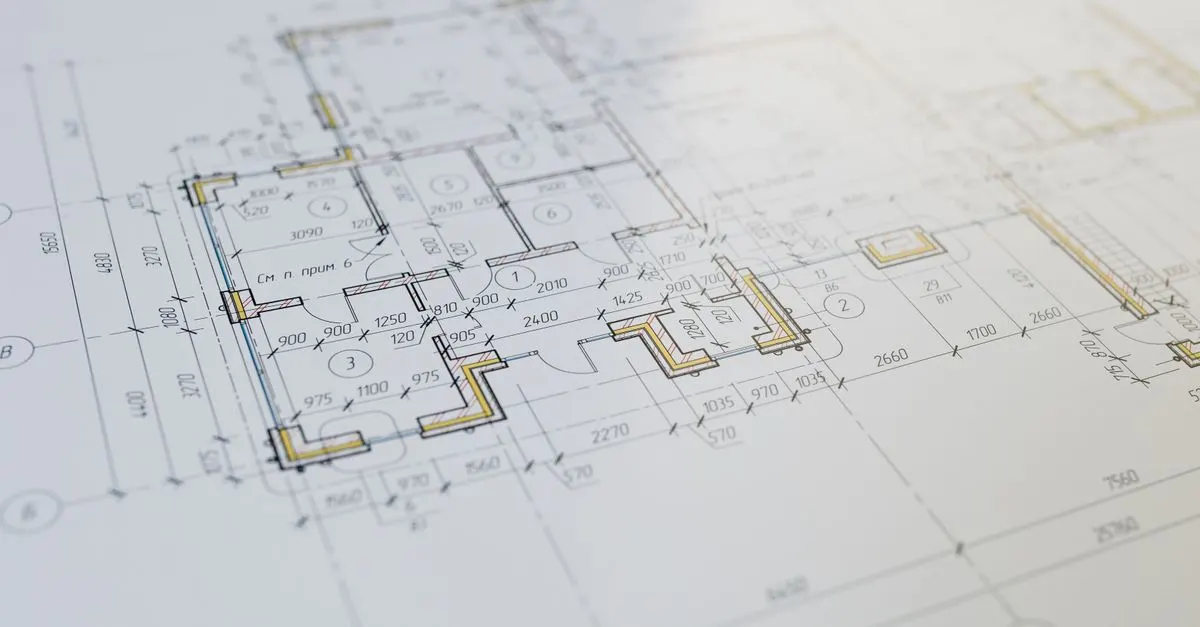
Why file size isn't the real problem

A Revit file's size is a symptom, not a diagnosis. Two offices can run libraries of very different sizes and have the opposite experience. What predicts trouble is how many families carry weight they do not need: imported CAD geometry nobody rebuilt, families nested several levels deep, parameters that do nothing but are recalculated on every regeneration.
ArchOverFlow's guide to Revit file size and performance puts it plainly: the vast majority of families should be below 1 MB, and almost all of them below 3 MB. Treat those numbers as a trigger for a closer look, not a target. Chasing a total library size wastes time; chasing the families past that ceiling finds the actual problem.
Purge unused elements first
Every serious guide to Revit performance starts in the same place: run Purge Unused, and run it more than once. The first pass removes families, types and materials with no instances left. Later passes catch what the first one freed, because removing one family can release a nested one beneath it.
It is fast, low-risk and rarely enough on its own. It clears the obvious clutter so the next steps can find the families still doing damage. It will not fix an oversized nested family or a mislabelled parameter; both survive an ordinary purge.
Clean downloaded content before it enters the library
Most libraries did not get messy from in-house work. They got messy from files pulled off a manufacturer's site or a free content site and loaded straight into a project, because the deadline left no time to check them. Downloaded families are the most common source of excess geometry, formulas pointing at deleted parameters, and object styles that ignore the office standard.
Treat every downloaded family as unverified until it has been opened, checked and cleaned on its own, outside the project that needed it in a hurry. Check the geometry, strip unused type parameters, and reset any material not set to By Category before it goes into the shared library. A family that skips this step costs more to fix later than it would have cost to clean on day one.
Fix object styles and orphaned parameters
Object styles decide how a family's lines, fills and subcategories display and print. Inconsistent ones are among the most common reasons a library looks careless even when the geometry underneath is fine. Set them deliberately for every family, not by whatever arrived with the download.
The same pass should catch orphaned parameters left by an earlier edit, shared parameter files still referenced by families that no longer need them, and duplicate types that exist only because someone loaded the same family twice under two names. None of these show up in a file-size check. All of them show up eventually as a schedule error or a tag that will not fill.
What else weighs a model down
Families are the usual suspect, but not the only one. The same review should look at these:
- Warnings left to pile up. Each one is a small unresolved problem Revit keeps track of.
- View templates and views nobody uses, which clutter the project and can override settings without anyone noticing.
- Images loaded at full resolution and scaled down in the model; Revit keeps the full file.
- In-place families used where a reusable family belonged.
- Imported CAD where a link, or native geometry, would do.
None of these is dramatic on its own. Together they are the difference between a model that opens promptly and one people wait for.
Organise the library around a written standard
A cleaned family still causes problems if nobody can find it, or if two people save two versions under two names. Naming, folder structure and category rules need to be a written standard the whole office follows, not a habit one person remembers.
The standard does not need to be elaborate. It needs three things:
- A consistent naming pattern that encodes category and type.
- A folder structure that matches how people actually search, not how the library happened to grow.
- One person or team who approves new additions before they reach the shared library.
This is the same groundwork a Revit family creation project starts from, whether the families are new or rebuilt.
Save it or rebuild it

Not every family is worth cleaning. Some can be saved in an hour. Others carry so many undocumented edits from so many people that rebuilding from a clean template is faster than tracing what is wrong.
Be honest about scope here. If it is a handful of families and nobody has complained about file size, you do not need a consultant, including us: run Purge Unused and save with Compact File first. Bring in outside help with the library when it is shared across a team, the standard itself is the problem, and a badly fragmented set of families would take longer to patch than to rebuild.
Build new families light from the start
Every family that gets rebuilt, and every new one added after the clean-up, is a chance to stop the weight from coming back. Most of what a family costs a model comes from how it was modelled, not from how much it shows, and three habits keep that cost low:
- Let detail levels do the hiding. Assign fine geometry, such as handles, bolts and trim profiles, to the Fine detail level only, so Coarse and Medium views never have to draw it.
- Symbolic lines for plan views. A plan symbol drawn with symbolic lines and a masking region is lighter and cleaner than a cut through full 3D geometry, and it prints the way the office standard expects.
- Arrays, voids and nesting only where they earn their place. Each one adds work every time the family's geometry regenerates. A nested family that is never scheduled or swapped on its own is usually better modelled directly in the host family.
None of this needs special tools. It needs the rule written into the library standard, so the next person who builds a family builds it the same way. The parametric family guide covers the parameter side of the same discipline.
Upgrade the library once per Revit release
A file saved in a newer Revit release cannot be opened in an older one, and a family built in an older release is upgraded every time it is loaded into a project on a newer one. When the library stays on an old version, the upgrade time is spent again on every project and by every team member, and the upgraded copies end up scattered across project files instead of in the library.
The fix is a simple rule. When the office moves to a new Revit release, upgrade the whole library once, test a sample of the upgraded families in a trial project, and keep the previous version's library read-only for projects that stay on the old release. Each folder's version should be obvious from its name, so nobody loads a family from the wrong one.
This is also the cheapest moment to audit the library, because every family is being opened anyway. Folding the quarterly checks below into the upgrade pass turns the audit into part of work the office was already doing.
Keep it clean with a recurring audit
A one-off clean-up buys a few months. Libraries drift back towards mess by default, because loading a new family under deadline pressure is always faster than checking it. The only defence is a recurring audit, not a bigger one-off effort.
Batch-checking tools are worth using once the library is clean enough for their results to mean something. A model checker running a checkset of your own rules is the natural next step; run against a disorganised library, it only produces a long list nobody acts on.
Set a fixed cadence, quarterly being a reasonable default for a busy office, and check three things each time:
- New families against the naming and object-style standard.
- File sizes against the per-family ceiling.
- Duplicate types that have crept back in.
Conclusion
A clean library is not the actual goal. A library nobody has to think about is. That only happens when the standard is set before the clean-up starts, downloaded content is checked before it is trusted, and the audit that follows looks for the specific families causing trouble instead of purging everything and hoping the right thing was fixed.
FAQ
Do we need to hire someone to optimize our Revit library?
Not always. If it is a handful of families and nobody has complained, run Purge Unused and save with Compact File first. Outside help is worth it when the library is shared across a team and the standard itself, not just file size, is the problem.
What does Purge Unused actually remove in Revit?
Families, types, materials and other elements with no instances left in the open model. It does not touch anything still in use, even a single forgotten instance, and it will not fix an oversized or mislabelled family that is still loaded.
How do we find which families are causing the file size problem?
Audit before you purge. Sort the families by file size and check the largest first for imported CAD geometry or unnecessary nested detail; that is where most of the size usually sits.
What's a safe maximum size for a single Revit family?
ArchOverFlow's guide sets the bar at under 1 MB for the vast majority of families and under 3 MB for almost all of them. A family well past that is not automatically wrong, but it needs a specific, written-down reason for its size, such as detail a manufacturer requires.
Is it safe to delete families we didn't create ourselves?
Only after checking whether anything in the current project still references them. Purge Unused already protects families with live instances; anything beyond that should go through the same audit as everything else before it leaves the shared library.
Should we use type catalogs instead of loading every family type?
Yes, whenever a family has more than a handful of types. A type catalog lets a project load only the types it needs instead of the entire family, which keeps both the family and the project file lighter.
Is it better to clean up an old library or rebuild it?
It depends how fragmented it is. A library with a handful of inconsistent families is worth cleaning. One with years of undocumented changes from different people is usually faster to rebuild against a clean standard than to patch.
How often should a Revit library be audited?
Quarterly is a reasonable default for a busy office. Waiting for complaints means waiting until the library is already causing real damage; a fixed cadence catches drift while it is still a few families.